Chat with your Apple Health data.
openhealth turns your Apple Health export into seven short markdown files any LLM can read. Drop the zip, get the files, paste them into ChatGPT, Claude, or your local Ollama — and start asking real questions about how you actually sleep, train, and recover.
Drop your export here
How do I get my Apple Health data?
Six taps in the Health app. Nothing leaves your phone until you drop the zip here.
-
1
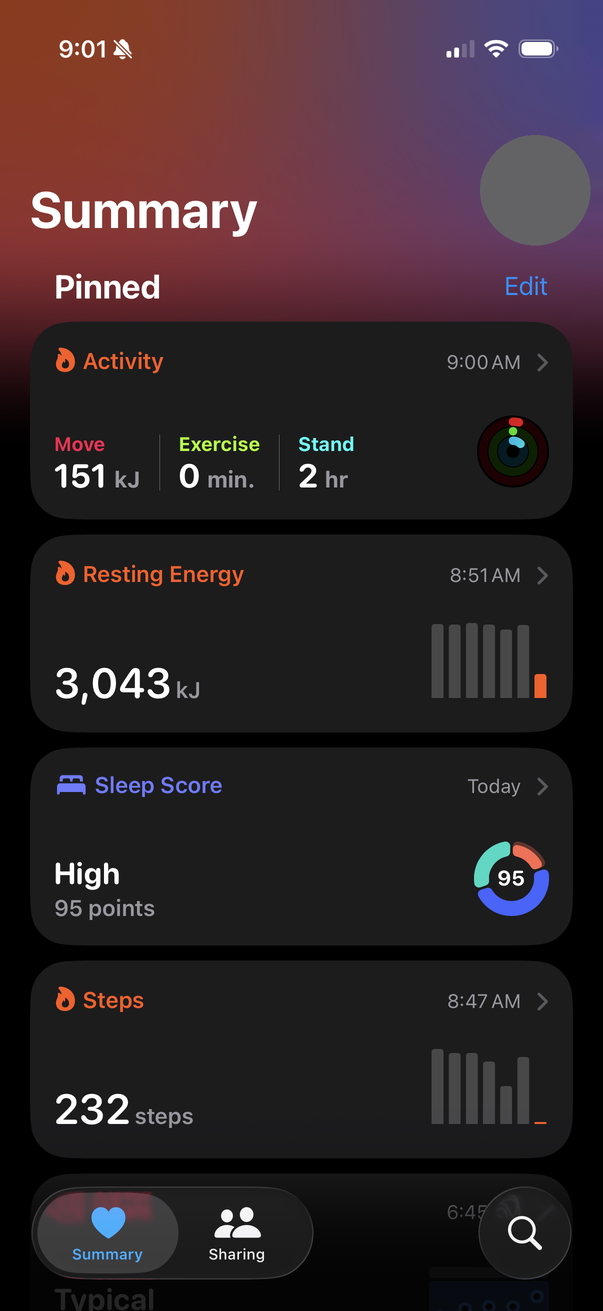
Open Health, tap your profile
The avatar in the top-right corner opens your profile.
-
2
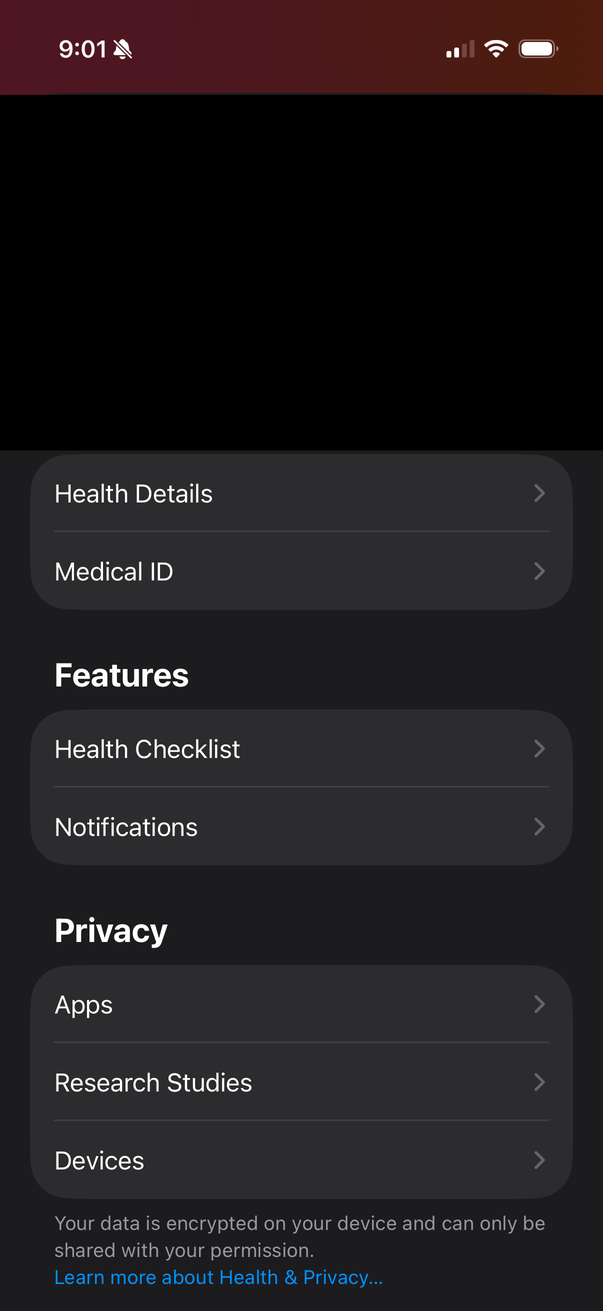
Scroll down past the profile
Past the Features and Privacy sections.
-
3
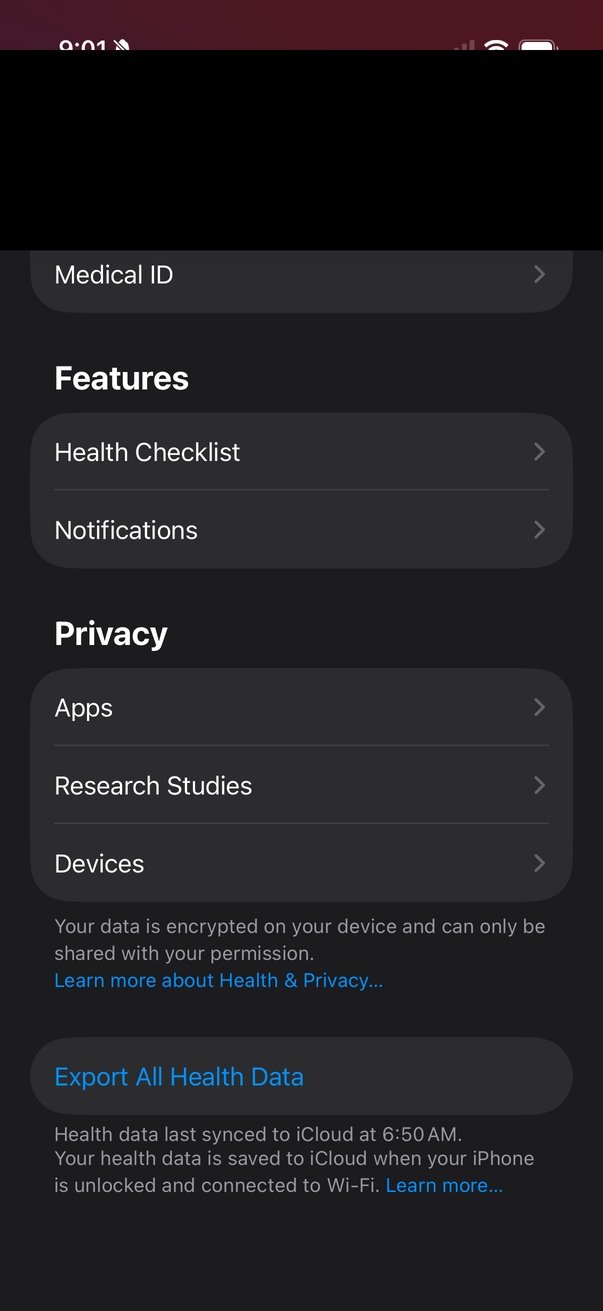
Tap Export All Health Data
At the very bottom. The one button that packages everything.
-
4
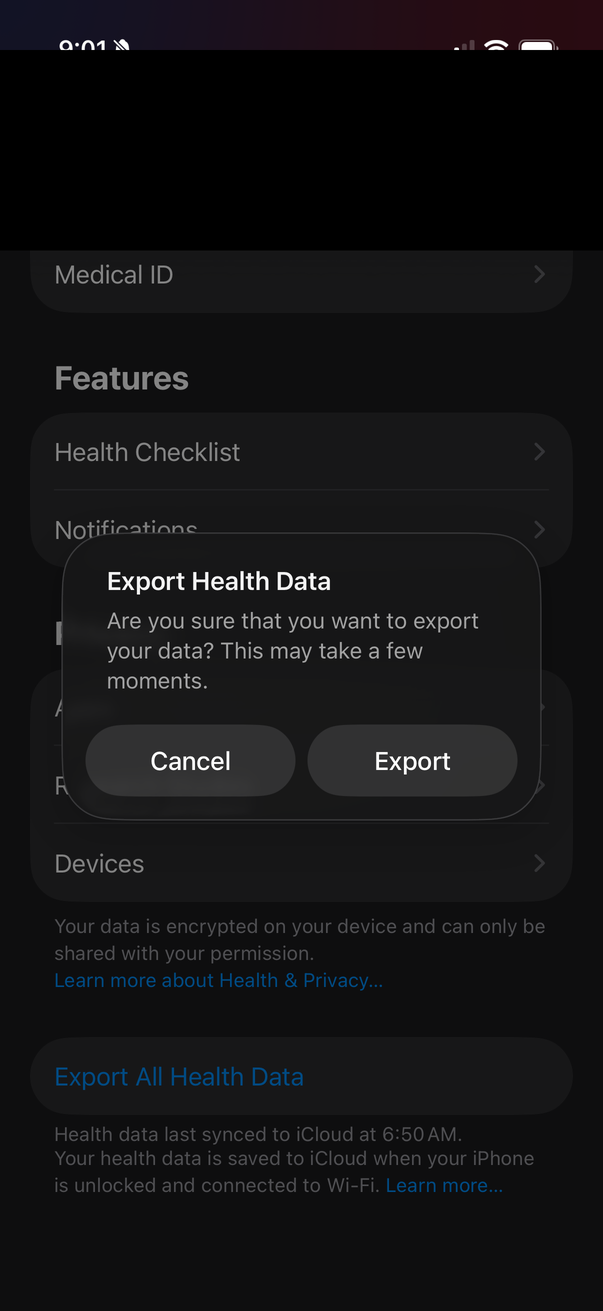
Confirm the export
30 s to a few minutes for up to 200 MB of data.
-
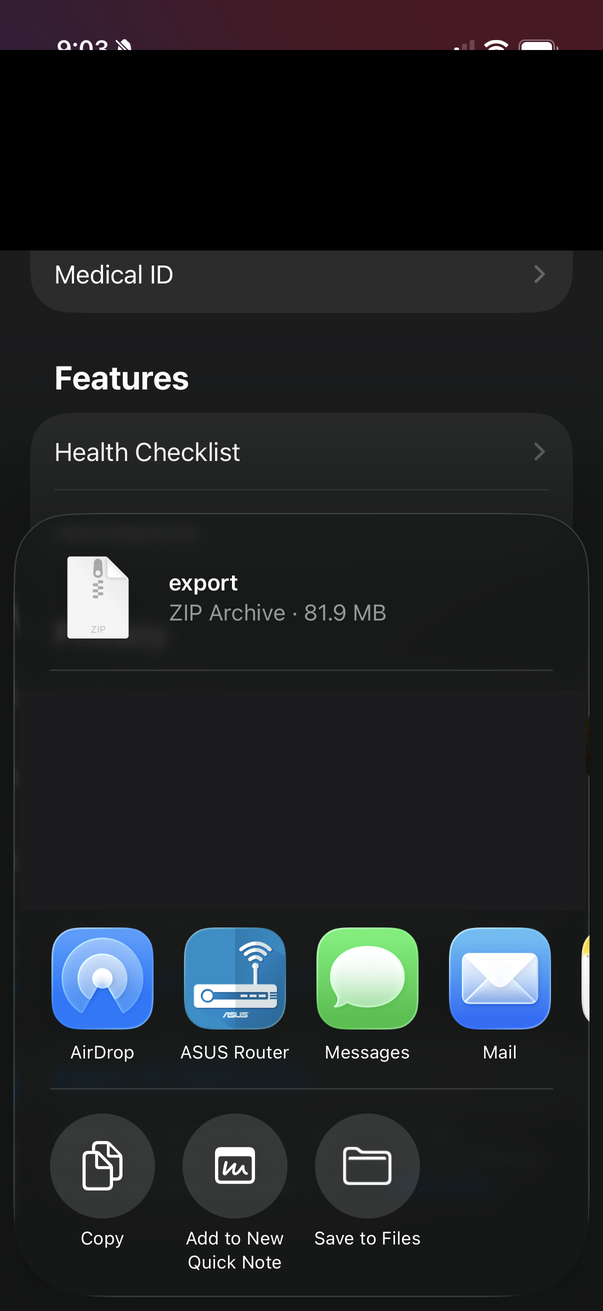
5
Tap Save to Files
The zip appears in the share sheet — around 80 MB.
-
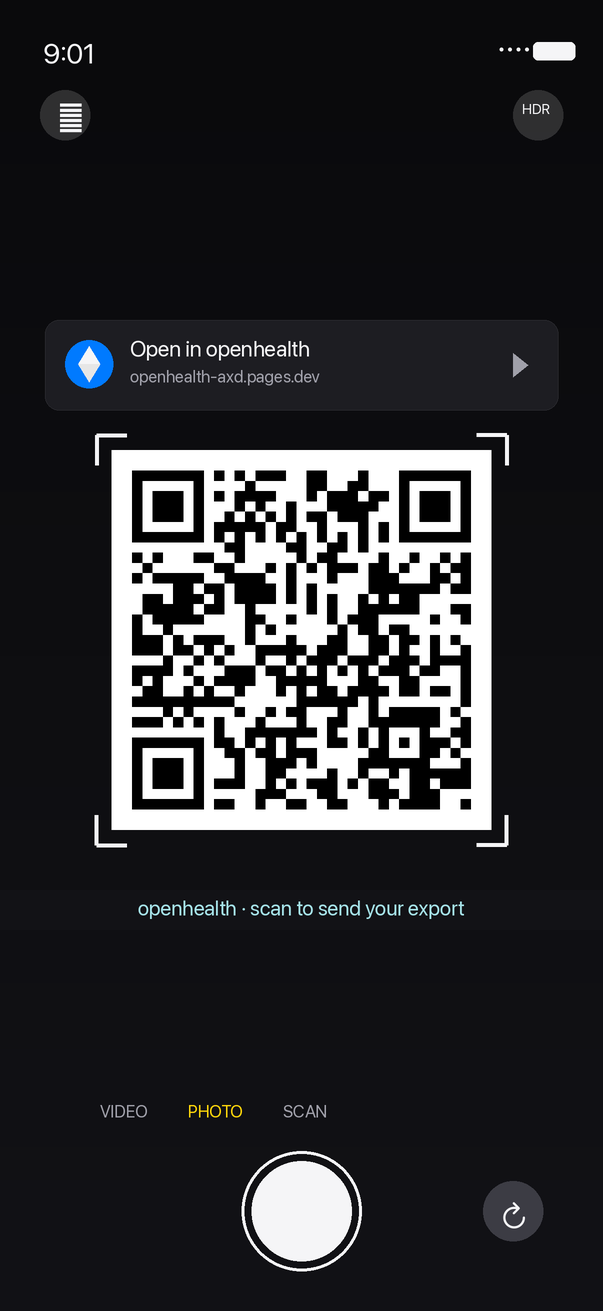
6
Or: scan the QR on your desktop
Skip Files entirely. Point your iPhone camera at the QR code on this page — your zip goes phone-to-desktop over WebRTC.
What do I get?
Seven short markdown files your chatbot can actually reason about:
health_profile.md— baselines, sources, long-term averagesweekly_summary.md— current week with week-over-week deltasworkouts.md— detailed training logbody_composition.md— weight trend and nutritionsleep_recovery.md— sleep stages, HRV, resting HRcardio_fitness.md— running log and HR zonesprompt.md— ready-to-paste coaching prompt
Want to keep the AI side local too? Run it through Ollama.
ChatGPT and Claude are convenient — but if you'd rather your weight, sleep, and HR data never hit a third-party server, point a local model at it instead. Ollama is the easiest way: one binary, one model pull, ask questions over your own GPU.
-
1
Install Ollama
brew install ollama # or download from ollama.com/download -
2
Pull a model
Anything with a 128k+ context window.
llama3.1:8bruns comfortably on a 16 GB Mac.qwen2.5:14borgpt-oss:20bif you've got more RAM.ollama pull llama3.1:8b -
3
Pipe in your bundle + the prompt
Use
--bundlein the CLI, or click Download bundled openhealth.md in the browser, then:cat prompt.md openhealth.md | ollama run llama3.1:8bOr open Open WebUI / Chatbox, attach the bundle, and chat over it like you would with ChatGPT.
Now your export, the parser, the bundle, the model, and the chat all run on hardware you own. Your network panel stays empty the entire time.
Your data never leaves this device.
Not as a principle — as a mechanism. Every byte of your export is parsed inside this browser tab. There is no "upload" endpoint because there is no server to upload it to.
What actually happens when you drop the zip
-
1
The browser hands this tab a file reference.
The standard Web
FileAPI passes a handle to the zip. No network request is made. DevTools' Network panel stays empty. -
2
A Web Worker streams-parses it.
The zip is unzipped in-memory by
fflateand the XML is fed throughsaxes— a streaming SAX parser that keeps peak RAM around 50 MB even on a full 200 MB export. The work runs on a background thread so the UI stays responsive. -
3
Seven markdown strings live in tab memory.
We call
URL.createObjectURLon each blob — that's a browser-local URL of the formblob:http://…. Clicking a download link triggers your browser's native Save As. Still local, still no network. -
4
Close the tab. Everything vanishes.
No
localStorage, noIndexedDB, no session caches of your data. The garbage collector reclaims every byte when the tab closes.
What we don't do
- No analytics. Not Google, Plausible, PostHog, or a home-grown pageview counter. Traffic is read from edge logs only — never from your browser.
- No cookies. No session tokens, no consent banners, no identifier of any kind.
- No third-party scripts. The only external request this page makes is to Google Fonts for Inter + JetBrains Mono. You can self-host those if you'd rather.
- No error reporting. Crashes don't phone home to Sentry or anywhere else.
- No accounts. There's nothing to sign into; there's no backend to sign into.
The one exception — phone-to-desktop handoff
If you scan the QR code to send your zip from your phone to this desktop browser, a tiny ~100-line Cloudflare Worker brokers the WebRTC handshake. It must see:
- A random 16-byte session id (generated fresh each time)
- SDP offer / answer — about 1 KB of codec + transport metadata
- ICE candidates — network endpoints both browsers use for NAT traversal
It never sees the zip. The file travels directly between your phone and desktop over an encrypted WebRTC DataChannel; the relay only helps them find each other. Source: packages/signaling — read it, it's shorter than this section.
Verify it yourself (takes a minute)
- Open your browser DevTools → Network tab. Tick Preserve log.
- Drop a zip onto the top of this page. Scroll through the request list.
- Every row should be either the page assets, the Google Fonts CSS, or a
blob:URL when you click download. Nothing else. - For the nuclear test: turn WiFi off, reload once from cache, and drop a zip. It still works.
Read the source: github.com/jonnonz1/openhealth · MIT-licensed · no minified blobs, no pre-built bundles committed. The site you're reading right now was built from the commit pinned in the repo.